10 Free Apps Every College Student Needs to Download Right Now

College life throws a lot at you at once. Classes, assignments, group projects, social events, part-time jobs, and somehow finding time to sleep. Your phone can either be your biggest distraction or your most helpful tool.
The right apps can turn chaos into something manageable. They help you track deadlines, split bills with roommates, find study resources, and keep your mental health in check. The best part? Most of them are completely free.
The best apps for college students include tools for class management, budgeting, productivity, note-taking, and wellness. Apps like Notion, Splitwise, Forest, and MyStudyLife help organize academic work and daily routines. Most are free and designed to reduce stress while improving time management. Choosing the right combination can transform how you handle college responsibilities without overwhelming your phone storage or attention span.
Why college students actually need specific apps
Generic productivity tools don’t always fit student life. You need apps that understand assignment deadlines, group project coordination, and the reality of living on a tight budget.
Students juggle more roles than most people realize. You’re a learner, a roommate, a friend, sometimes an employee, and you’re trying to maintain some version of a healthy lifestyle. Regular calendar apps don’t account for rotating class schedules or exam periods that flip your entire routine.
The apps that work best are built with student workflows in mind. They sync across devices, work offline during lectures, and don’t require premium subscriptions to access basic features.
Class and assignment management apps that actually help
Keeping track of multiple courses with different assignment types, due dates, and grading systems gets messy fast. These apps bring structure to academic chaos.
MyStudyLife is specifically designed for students. It tracks classes, homework, exams, and revision schedules all in one place. The app syncs across all your devices and works offline, which matters when you’re studying in spots with spotty wifi.
The interface is clean and simple. You can set up rotating class schedules that repeat weekly or change by semester. It sends reminders before assignments are due and before exams start.
Google Calendar might seem basic, but it’s powerful when used right. Create separate calendars for classes, assignments, social events, and work shifts. Color code everything so you can see at a glance what kind of day you’re facing.
The sharing feature helps with group projects. Share specific calendars with teammates so everyone knows when meetings happen and when deliverables are due.
Notion works as an all-in-one workspace. Students use it for note-taking, assignment tracking, project management, and even journaling. The learning curve is steeper than other apps, but the customization options are worth it.
Templates make setup faster. Search for student dashboard templates that include assignment trackers, class notes sections, and resource libraries. You can build exactly the system that matches how your brain works.
Note-taking apps for different learning styles
Everyone processes information differently. Some people need visual organization. Others work better with linear notes. The best note-taking apps adapt to your style.
Notability combines handwriting, typing, and audio recording in one app. Record lectures while taking notes, and the app syncs your writing with the audio timeline. Tap any word in your notes and the recording jumps to that moment in the lecture.
This is helpful when professors talk fast or when you miss something important. The handwriting recognition works well if you prefer writing on a tablet.
Evernote excels at organizing information from multiple sources. Clip articles, save PDFs, scan documents with your phone camera, and tag everything for easy searching later. The free version gives you enough storage for most students.
Create separate notebooks for each class. Use tags for topics like “exam review” or “research paper sources” so you can find related notes across different courses.
Microsoft OneNote is completely free with no storage limits. The notebook structure mimics physical binders with sections and pages. It syncs with other Microsoft apps, which matters if your school uses Office 365.
The collaboration features work well for group projects that nobody tells you about. Multiple people can edit the same notebook simultaneously, and you can see who added what.
Budget and expense tracking apps for broke students
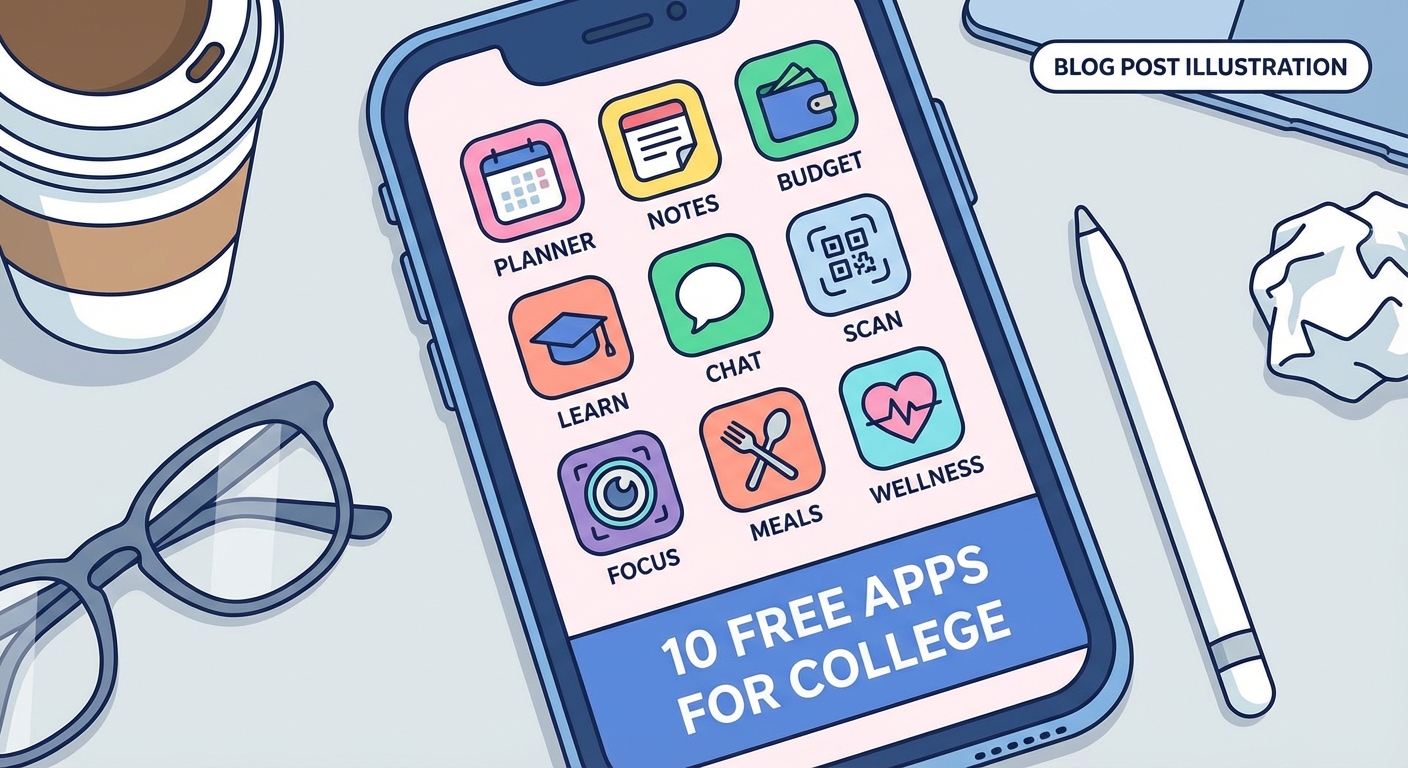
Money stress is real in college. These apps help you see where your money goes and make it last longer between paydays or allowance deposits.
Splitwise solves the roommate money problem. Track who paid for groceries, utilities, cleaning supplies, and takeout. The app calculates who owes what and simplifies payments so you’re not constantly settling tiny debts.
It works for friend groups too. Split costs for dinners out, concert tickets, or road trips without the awkward money conversations afterward.
Mint connects to your bank accounts and credit cards to track spending automatically. It categorizes purchases and shows you exactly how much you spend on food, entertainment, transportation, and other categories each month.
Set budget limits for different categories. The app sends alerts when you’re close to going over. Seeing the numbers clearly helps you make better decisions about that late night food run.
PocketGuard takes a simpler approach. It shows you how much money you have available to spend after accounting for bills, savings goals, and necessities. The “In My Pocket” number tells you what’s actually safe to spend right now.
This helps prevent the end-of-month panic when you realize you spent too much too early. The app also finds subscriptions you might have forgotten about.
Productivity and focus apps that fight procrastination
Distractions are everywhere. Your phone buzzes with notifications while you’re trying to study. These apps help you stay focused when it matters most.
Forest turns focus time into a game. Set a timer for how long you want to study. A virtual tree starts growing. If you leave the app to check social media or texts, your tree dies.
The visual reminder creates just enough guilt to keep you on task. Over time, you grow an entire forest that represents your focused work sessions. The premium version partners with real tree planting organizations.
Cold Turkey blocks distracting websites and apps on your computer for set periods. Unlike other blockers, you can’t easily override it once a blocking session starts. It forces you to commit to focused work time.
Create different blocking schedules for different situations. Block everything except class-related sites during study hours. Block only the worst time-wasters during lighter work periods.
Todoist manages tasks with a clean interface that doesn’t overwhelm you. Break big projects into smaller tasks. Set due dates and priority levels. The app shows you exactly what needs attention today.
The karma system gamifies productivity. You earn points for completing tasks and maintaining streaks. It’s surprisingly motivating to watch your productivity score climb.
Health and wellness apps for student life
Academic success means nothing if you’re burned out or sick. These apps help maintain physical and mental health during stressful semesters.
Headspace offers guided meditations ranging from three to twenty minutes. The student discount makes premium features affordable. Short sessions fit between classes or before bed.
The sleep casts help when your mind won’t shut off at night. The app tracks your meditation streak, which creates helpful accountability during exam stress periods.
MyFitnessPal tracks nutrition and exercise. College dining halls and late night study snacks make it easy to fall into unhealthy eating patterns. Logging meals creates awareness about what you’re actually consuming.
The barcode scanner makes tracking packaged foods simple. The database includes most restaurant and dining hall foods. You don’t need to count every calorie, but seeing patterns helps you make better choices.
Sleep Cycle analyzes your sleep patterns and wakes you during light sleep phases. Waking during light sleep instead of deep sleep makes mornings less painful. The app tracks sleep quality over time so you can see what affects your rest.
Set a wake-up window instead of a specific time. The app wakes you at the optimal moment within that window. This works better than traditional alarms that jar you awake at the worst possible sleep stage.
Communication and collaboration apps for group work
Group projects are unavoidable in college. These apps make coordination less painful and more productive.
Slack organizes team communication into channels. Create separate channels for different aspects of a project. Share files, links, and updates in relevant channels instead of cluttering everyone’s inbox.
The search function finds old messages and files quickly. Integrate other tools like Google Drive or Trello to centralize project resources. Free workspaces work fine for class projects.
Discord started as a gaming platform but works great for study groups and project teams. Voice channels let you hop on calls without scheduling formal meetings. Screen sharing helps when you need to show something to teammates.
Create different channels for serious work discussion and casual chat. Having a space for off-topic conversation keeps the work channels focused.
Google Drive remains essential for collaborative documents, spreadsheets, and presentations. Multiple people can edit simultaneously. Version history saves you when someone accidentally deletes important content.
Organize shared folders by class or project. Set appropriate sharing permissions so teammates can edit but random people with the link can only view.
Finding and managing study resources
Finding reliable information and organizing research materials challenges every student. These apps streamline the process.
Quizlet offers millions of user-created flashcard sets covering nearly every subject. Create your own sets or use existing ones. The study modes include traditional flashcards, matching games, and practice tests.
The learn mode adapts to your performance. It shows you cards you’re struggling with more frequently. The app works offline, which helps during commutes or in areas with poor connectivity.
Wolfram Alpha solves complex math problems and explains the steps. It handles calculus, statistics, physics, chemistry, and more. Type in equations or word problems and get detailed solutions.
The app costs money but saves hours of frustration on problem sets. It’s like having a tutor available 24/7. Don’t just copy answers. Use it to understand methods when you’re stuck.
Grammarly catches grammar, spelling, and punctuation errors in your writing. The free version handles basic corrections. The premium version suggests style improvements and checks for plagiarism.
Install the browser extension to get corrections in email, Google Docs, and other web-based writing tools. It works better than standard spell checkers and catches errors that slip past human proofreading.
Transportation and campus navigation apps
Getting around campus and the surrounding area efficiently saves time and reduces stress, especially during your first semester.
Google Maps seems obvious but many students underuse it. Save frequent locations like classrooms, dining halls, the library, and your favorite study spots. The app learns your routine and suggests departure times to arrive on schedule.
Download offline maps of your campus area. This helps when you’re underground or in buildings with poor reception. The indoor maps feature works in many large campus buildings.
Transit aggregates public transportation options in one app. It shows real-time bus and train arrivals. Compare different routes to find the fastest option. The GO feature gives step-by-step navigation for complex trips involving multiple transfers.
Set up notifications for your regular routes. The app alerts you when it’s time to leave based on current traffic and transit conditions.
Setting up your app ecosystem
Having the right apps matters, but organizing them effectively matters just as much. Too many apps create digital clutter that defeats the purpose.
Follow this setup process:
- Choose one app per category based on your specific needs
- Spend 30 minutes setting up each app properly with your schedule and preferences
- Turn on only essential notifications to avoid constant interruptions
- Organize apps into folders on your home screen by function
- Review which apps you actually use after two weeks and delete the ones you ignore
Most students need five to eight core apps. More than that and you’ll spend more time managing apps than benefiting from them.
Common app mistakes students make
Even good apps become useless if you use them wrong. Avoid these patterns that waste time instead of saving it.
| Mistake | Why It Fails | Better Approach |
|---|---|---|
| Installing too many similar apps | Creates confusion about where information lives | Pick one app per function and commit to it |
| Ignoring app notifications | Defeats the purpose of deadline reminders | Set up selective notifications for truly important items |
| Not syncing across devices | Forces you to check multiple places for information | Use cloud-based apps that sync automatically |
| Skipping the setup process | Apps work poorly with default settings | Spend time customizing settings for your schedule |
| Trying to use apps exactly like friends do | Everyone’s brain works differently | Adapt apps to your personal workflow |
The biggest mistake is downloading apps and never actually using them. Apps only help if they become part of your daily routine. Start with one or two apps and build from there.
Making apps work with your actual life
Apps should fit into your life, not force you to change how you naturally work. Some people thrive with detailed systems. Others need simple, minimal tools.
If you’re naturally organized, apps like Notion let you build complex systems. If you tend toward chaos, simpler apps like Google Calendar and Todoist keep you on track without overwhelming you.
Try apps during low-stress periods first. Don’t wait until midterms to test a new note-taking system. Build habits with new apps when you have mental energy to spare.
“The best productivity system is the one you’ll actually use consistently. It doesn’t matter how powerful an app is if you forget to open it.” — College productivity researcher
Apps work best when they eliminate friction rather than adding steps. If an app makes something harder than doing it the old way, stop using that app.
Free versus paid app versions
Most apps offer free versions with limited features. Students face constant pressure to upgrade to premium versions. Sometimes it’s worth it. Often it’s not.
Use free versions first. Many apps restrict features that sound important but that you’ll rarely use. After using the free version for a month, you’ll know if the premium features would actually help.
Student discounts make premium versions more affordable. Apps like Spotify, Headspace, and Notion offer significant discounts with a .edu email address. Always check for student pricing before paying full price.
Some apps are worth paying for if you use them daily. A $5 monthly subscription that saves you hours of frustration is a good investment. But don’t subscribe to apps you only use occasionally.
Apps that help with specific college situations
Different situations call for different tools. These apps solve specific problems that come up repeatedly in college.
CamScanner turns your phone into a document scanner. Scan handwritten notes, textbook pages, receipts, or forms. The app straightens images, removes shadows, and creates clean PDFs. This helps when you need to submit physical documents electronically or share notes with classmates.
Venmo or PayPal handle person-to-person payments instantly. Split restaurant bills, pay your share of supplies, or collect money for group gifts. Most students already have these, but they’re essential for campus life.
Spotify with a student subscription costs half the regular price and includes Hulu and Showtime. Create playlists for different activities like studying, working out, or building the perfect playlist for every mood. Music helps many students focus or relax between classes.
Duolingo teaches languages through short daily lessons. If you’re taking a language class, the app provides extra practice that actually feels like a game. Maintaining a streak creates accountability that textbook exercises don’t provide.
Privacy and security considerations
Apps need permissions to function, but some request more access than necessary. Protect your personal information while using helpful tools.
Check app permissions before installing. Does a note-taking app really need access to your location? Does a budget tracker need your contacts? Deny permissions that don’t make sense for the app’s function.
Use strong, unique passwords for each app. Password managers like LastPass or 1Password generate and store complex passwords. This matters more than most students realize, especially for apps connected to bank accounts.
Read privacy policies for apps that handle sensitive information. Understand what data they collect and who they share it with. Apps that sell user data to advertisers might not be worth the convenience.
Building sustainable app habits
Apps only help if you use them consistently. Building habits takes deliberate effort at first, but becomes automatic with practice.
Start your day by checking your task list and calendar. This five-minute routine prevents missed deadlines and double-booked time slots. Do it at the same time each morning, perhaps while building a morning routine that actually sticks.
Set a weekly review time to update apps and plan ahead. Sunday evenings work well for most students. Review the coming week’s assignments, update your task list, and adjust your schedule based on what’s actually due.
Link new app habits to existing routines. Check your budget app while eating breakfast. Review your study app before starting homework. These connections make new habits stick faster.
Apps that work together create systems
Individual apps are useful. Apps that integrate create powerful systems that reduce manual work.
Connect your calendar to your task manager. Due dates automatically appear on your schedule. This prevents the problem of having tasks listed somewhere but forgetting to allocate time to complete them.
Link note-taking apps to cloud storage. Notes automatically back up and sync across devices. You’ll never lose important class notes because your laptop died.
Use automation tools like IFTTT or Zapier to connect apps. Automatically save email attachments to Google Drive. Post Instagram photos to multiple platforms simultaneously. These small automations add up to significant time savings.
When to take breaks from apps
Apps help manage college life, but constant digital connection creates its own stress. Sometimes the best thing you can do is put your phone away.
Schedule app-free time blocks. Turn off notifications during classes so you actually pay attention. Put your phone in another room while studying. The constant pull of notifications destroys focus even when you resist checking them.
Use built-in screen time tracking to see how much time apps actually consume. Most people are shocked by the numbers. If social media apps dominate your screen time, set app limits that force breaks.
Take full digital detox days occasionally. Spend a Saturday without checking any apps except essential communication. Notice how differently your brain works without constant digital input. This reset helps you use apps more intentionally afterward.
Adjusting your app setup as semesters change
Your app needs change throughout college. First semester requires different tools than senior year. Stay flexible and adapt your setup.
Freshman year focuses on adjustment and time management. Calendar and class management apps matter most. By junior year, you need apps for internship searching, professional networking, and career planning.
Different majors need different tools. STEM students benefit from equation solvers and graphing calculators. Humanities students need citation managers and writing tools. Build your app collection around your actual coursework.
Summer breaks and winter sessions change your routine completely. Adjust notification settings and app usage to match lighter course loads. Don’t let unused apps continue demanding attention when you don’t need them.
Making apps work for your future
The organizational skills you build using apps in college transfer directly to professional life. Learning to manage complex schedules, collaborate effectively, and track multiple projects prepares you for career demands.
Many workplace tools resemble student apps. Slack dominates professional communication. Google Workspace and Microsoft 365 run most offices. Mastering these tools now gives you an advantage in internships and first jobs.
The habit of using apps intentionally matters more than any specific app. Technologies change constantly. The skill of evaluating tools, choosing appropriate ones, and using them effectively remains valuable throughout your career.
Your phone can actually help you succeed
The best apps for college students don’t just organize information. They reduce stress, save money, improve focus, and create space for things that matter beyond academics. Your phone holds tools that genuinely make college more manageable.
Start small. Pick two or three apps that address your biggest pain points right now. Set them up properly. Use them consistently for a few weeks. Add more tools only when you’ve mastered the basics.
College throws enough challenges at you. Let technology handle the organizational burden so you can focus on learning, growing, and actually enjoying these years. The right apps won’t solve everything, but they’ll clear away enough chaos to let you breathe.














Post Comment