Why Everyone’s Obsessed with AI Chatbots and How to Use Them for School Projects

You’re staring at a blank document at 11 PM with a project due tomorrow. Your brain feels empty. Then you remember that AI chatbot everyone’s been talking about. But how do you actually use it without getting in trouble or turning in something that sounds like a robot wrote it?
AI chatbots like ChatGPT, Claude, and Gemini can help with school projects through brainstorming, research organization, and draft feedback. The key is using them as study assistants, not replacement writers. Ask specific questions, fact-check everything, rewrite outputs in your own voice, and always cite when required. Used correctly, they save time while you still learn and create original work that reflects your understanding.
Understanding what AI chatbots can actually do for homework
AI chatbots are basically super-powered search engines that can have conversations with you. They’re trained on massive amounts of text from the internet, books, and articles.
Think of them like a study buddy who’s read everything but doesn’t always remember the details perfectly.
They can help you:
– Break down complex topics into simpler explanations
– Generate outlines for essays or presentations
– Suggest research angles you hadn’t considered
– Explain concepts you don’t understand from class
– Create practice quiz questions
– Summarize long articles or chapters
What they can’t do:
– Access real-time information or current events (most have knowledge cutoffs)
– Browse the internet for you (unless specifically enabled)
– Guarantee factually accurate information every time
– Think critically or form original opinions
– Replace your actual learning
The biggest mistake students make is treating AI like a magic homework machine. Copy-paste a prompt, get an answer, submit it. That’s a recipe for getting caught and learning absolutely nothing.
Setting up your first AI chatbot account
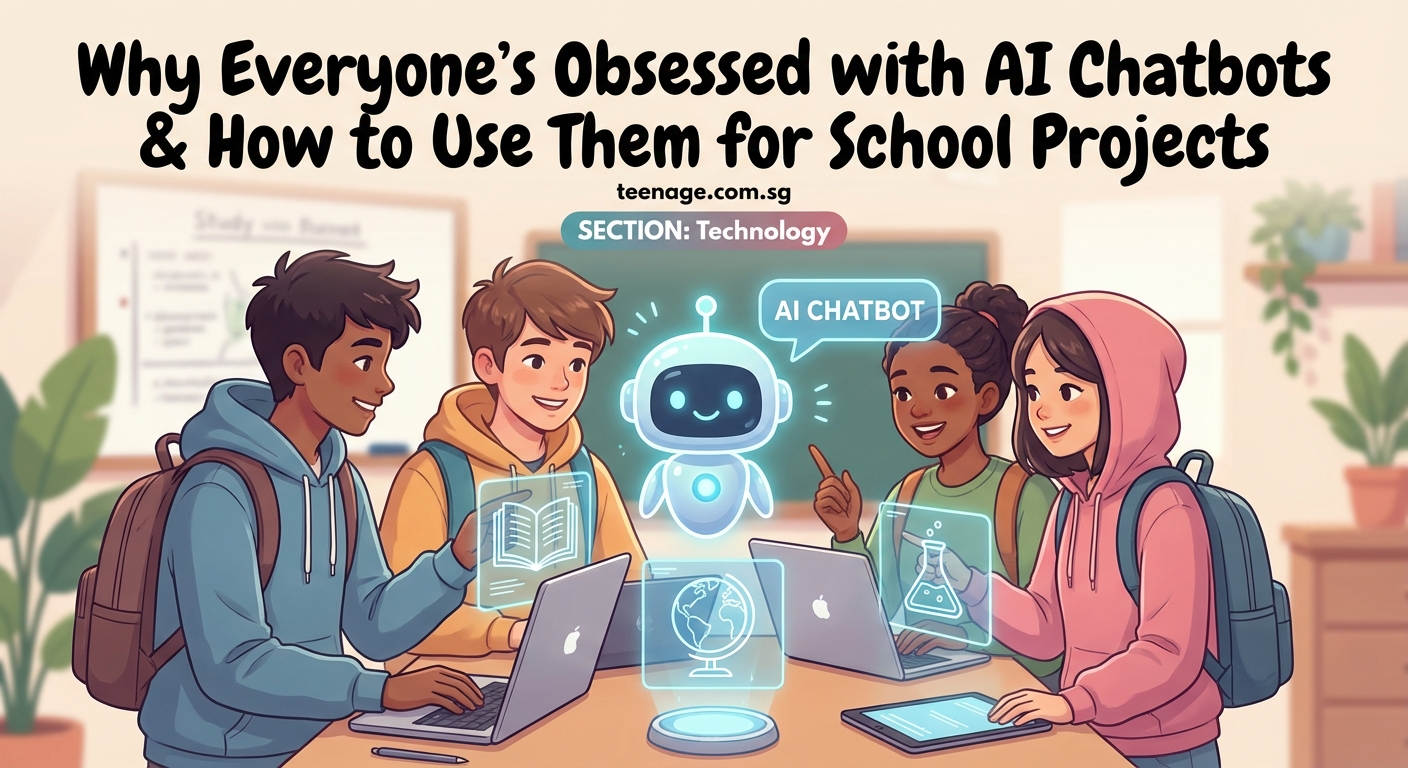
Most popular AI chatbots are free to start using. Here’s how to get going.
ChatGPT (by OpenAI) is probably the most well-known. Go to chat.openai.com and sign up with an email. The free version uses GPT-3.5, which works fine for most school stuff.
Claude (by Anthropic) is another solid option at claude.ai. Some students prefer it for longer text analysis because it can handle bigger documents.
Microsoft Copilot is built into Bing and is completely free. It can also search the web, which helps with current information.
Google Gemini (formerly Bard) integrates with Google services. Useful if you’re already living in Google Docs and Drive.
Pick one to start. You can always try others later. They all work similarly, you type questions or requests, they respond.
Most don’t require phone verification for basic accounts, but check your school’s policy. Some schools have specific rules about AI tool usage.
The right way to ask AI chatbots for help
How you ask makes a huge difference in what you get back.
Bad prompt: “Write my history essay about World War 2”
Good prompt: “I’m writing an essay about how propaganda posters influenced public opinion during World War 2. Can you suggest three specific angles I could focus on and explain why each would make an interesting argument?”
See the difference? The good prompt keeps you in control. You’re asking for ideas, not finished work.
The formula for better prompts
- Give context: “I’m a 10th grader working on a biology project about…”
- Be specific: Instead of “help with math,” say “explain how to solve quadratic equations using the quadratic formula”
- Set boundaries: “Give me 3 examples” or “explain this in simple terms”
- Ask for explanations: “Why does this work?” helps you actually learn
You can also tell the AI to act a certain way. “Explain this like I’m 12” or “Act like a tutor and ask me questions to check my understanding” both work surprisingly well.
Using AI chatbots for research and brainstorming

This is where AI really shines for school projects. It’s like having a brainstorming partner available 24/7.
Starting a new project: Ask the chatbot to help you narrow down broad topics. “I need to write about climate change. What are 5 specific, manageable topics I could focus on for a 5-page paper?”
Understanding difficult concepts: Paste a confusing paragraph from your textbook and ask, “Can you explain this in simpler terms and give me a real-world example?”
Organizing information: “I have these main points for my presentation: [list them]. Can you suggest a logical order and identify any gaps in my argument?”
Finding connections: “How does the French Revolution connect to the American Revolution? What are the key similarities and differences?”
The chatbot can generate mind maps, suggest subtopics, and point out angles you might have missed. Just remember to verify everything it tells you with actual sources.
Creating outlines and structure for essays
AI is fantastic for helping you organize your thoughts before you start writing.
Try this approach:
- Tell the chatbot your assignment requirements
- Share your main argument or thesis
- Ask for an outline structure
- Review and modify the outline to match your actual ideas
- Use the outline as a guide, not a script
Example conversation:
You: “I need to write a 1000-word argumentative essay about whether schools should ban smartphones. My position is that phones should be allowed but with restrictions. Can you suggest an outline?”
AI: [Provides structure with intro, three body paragraphs, counterargument, and conclusion]
You: “Can you suggest what kind of evidence I’d need for each section?”
AI: [Lists types of sources and data points]
Now you have a roadmap. The actual writing and research? That’s still on you. And that’s exactly how it should be.
Getting feedback on your drafts
Here’s a game-changer for study habits that actually work for procrastinators. Use AI as your first draft reader before you submit anything.
Paste your essay or project description and ask:
– “Does my argument make sense? Point out any logical gaps.”
– “Is my introduction engaging enough?”
– “Are there any grammar or spelling mistakes?”
– “Does my conclusion actually tie back to my thesis?”
The AI will give you feedback in seconds. It’s like having an English teacher available at midnight when you’re doing final revisions.
But here’s the critical part: you need to understand and agree with the feedback. Don’t just accept every suggestion blindly. If the AI recommends changes you don’t understand, ask it to explain why.
How to use AI for studying and test prep
AI chatbots make surprisingly good study partners.
Create practice tests: “Generate 10 multiple choice questions about cellular respiration with answer explanations.”
Quiz yourself: “Ask me questions about the causes of World War 1. After each answer, tell me if I’m right and explain why.”
Make flashcards: “Turn these notes about the periodic table into 15 flashcard-style Q&A pairs.”
Explain your mistakes: Take a problem you got wrong on homework and ask the AI to walk through the solution step by step.
Simplify complex topics: “I don’t understand photosynthesis. Explain it using an analogy about a factory.”
The interactive nature makes studying way less boring than just rereading your notes. You can even ask it to roleplay as your teacher and conduct a mock oral exam.
Avoiding the biggest mistakes students make
Let’s talk about what gets people in trouble.
| Mistake | Why It’s Bad | Better Approach |
|---|---|---|
| Copy-pasting AI output directly | Obvious plagiarism, sounds robotic, you learn nothing | Use AI output as a starting point, rewrite everything in your voice |
| Not fact-checking | AI makes up information confidently | Verify every fact with real sources |
| Using AI for take-home tests | Academic dishonesty, often detectable | Only use for studying before the test |
| Asking AI to write your personal essays | Your voice disappears, admissions officers can tell | Use AI to brainstorm topics only |
| Ignoring your school’s AI policy | Can lead to failing grades or worse | Read your school’s rules first |
Teachers and schools are getting better at spotting AI-generated work. It has a certain style that’s hard to hide. Plus, many schools now use AI detection software.
The safest approach? Always transform AI suggestions into your own words. Add your personal examples. Include your actual opinions. Make it sound like you.
Making AI-generated content sound like you wrote it
AI has tells. It loves certain phrases. It writes in a very balanced, measured way. It rarely uses contractions or casual language (unless you specifically ask).
Here’s how to humanize AI output:
Add personality: Insert your actual thoughts and reactions. “This surprised me because…” or “In my experience…”
Use specific examples: Replace generic examples with real ones from your life, school, or community.
Vary sentence length: AI tends toward medium-length sentences. Mix it up. Short ones. Really short. Then longer, more complex sentences that build on each other.
Include conversational elements: Questions to the reader. Casual asides. The kind of stuff you’d actually say.
Insert current references: AI’s training data has cutoffs. Adding recent events or trending topics immediately makes it feel more authentic.
Read your work out loud. If it sounds like a textbook wrote it, you need more editing.
When you absolutely shouldn’t use AI for school
Some assignments are specifically designed to assess your personal voice, creativity, or individual understanding. AI has no place here.
Personal narratives and college essays: These need to be 100% you. Your stories, your voice, your growth. Admissions officers read thousands of essays. They know what authentic sounds like.
Creative writing: Poetry, short stories, creative pieces. The whole point is your unique perspective and style.
Reflections and journals: If your teacher asks what you think or feel, that can only come from you.
Take-home exams: Unless explicitly allowed, using AI is cheating. Period.
Group projects where you’re assessed individually: Your group members will know if you didn’t pull your weight.
Anything that requires citations: You can’t cite “ChatGPT told me.” You need real sources.
When in doubt, ask your teacher. Most are more open to AI use than you’d think, as long as you’re transparent about it.
Citing AI chatbots in your work
If your teacher allows AI use and requires citations, here’s how to do it properly.
Most style guides now have official formats for AI citations.
MLA format:
“Prompt text.” ChatGPT, version, OpenAI, date accessed, URL.
APA format:
OpenAI. (Year). ChatGPT (Version) [Large language model]. URL
Chicago style:
Text generated by ChatGPT, OpenAI, accessed date, URL.
But here’s the thing: you usually shouldn’t be citing AI directly in academic work. Instead, use AI to find topics or angles, then research those topics using real, citable sources.
Think of AI as the friend who suggests what to look up, not as the source itself.
Combining AI tools with traditional study methods
AI works best when it’s part of your toolkit, not the whole toolkit.
Your complete study system might look like:
- Use AI to break down complex topics into understandable chunks
- Read actual textbooks and articles for depth and accuracy
- Watch educational videos for visual learning
- Form study groups to discuss and debate ideas
- Use AI to generate practice questions
- Create handwritten notes to improve retention
- Test yourself with AI-generated quizzes
- Review teacher feedback on past assignments
- Use AI to understand feedback you don’t get
Notice AI appears several times, but it’s always working alongside other methods. This combo approach means you’re learning deeply while still getting the efficiency benefits of AI.
The students who do best aren’t the ones using AI the most. They’re the ones using it most strategically.
Keeping your AI use ethical and transparent
The ethics of AI in education are still being figured out. Schools have different policies. Teachers have different comfort levels.
Here’s a framework that keeps you on solid ground:
“If you’re not sure whether using AI is okay for an assignment, ask your teacher before you submit. Transparency is always the right move. Most teachers appreciate students who want to use tools responsibly rather than those who try to hide it.”
Always disclose: If you used AI significantly, mention it in your process notes or ask your teacher if they want to know.
Give credit: If an AI helped you understand something, acknowledge that in your learning process.
Do the learning: Use AI to help you learn, not to skip learning.
Respect boundaries: If your school bans AI for certain assignments, respect that. There’s usually a pedagogical reason.
Help set norms: Talk with classmates and teachers about what feels right. You’re all figuring this out together.
The goal isn’t to avoid AI. It’s to use it in ways that make you smarter, not more dependent.
Tools that work well alongside AI chatbots
AI chatbots are powerful, but they’re even better when combined with other tools.
Grammarly or LanguageTool: For catching errors AI might miss and improving your writing style.
Citation generators (Zotero, EasyBib): For properly formatting your real sources.
Mind mapping tools (Coggle, MindMeister): For organizing AI brainstorming sessions visually.
Google Scholar: For finding actual academic sources after AI points you in the right direction.
Notion or Obsidian: For organizing all your research, AI conversations, and notes in one place.
Quizlet: For turning AI-generated study questions into interactive flashcards.
Many of these now have AI features built in, creating an even more powerful study ecosystem. The key is using each tool for what it does best.
Staying ahead as AI keeps changing
AI tools are evolving fast. New features drop constantly. What works today might be outdated in six months.
Stay current by:
- Following tech news sites or YouTube channels that cover AI
- Checking if your school offers any AI literacy workshops
- Experimenting with new features as they launch
- Sharing tips with classmates about what works
- Asking teachers what AI uses they’ve seen that impressed them
The students who thrive won’t be the ones who avoid AI or the ones who depend on it completely. They’ll be the ones who understand its strengths and limitations and use it as one tool among many.
Your generation is the first to have these tools throughout your entire education. That’s both an advantage and a responsibility. Learning to use AI well now sets you up for college and careers where it’ll be everywhere.
Making AI work for your actual learning goals
At the end of the day, school isn’t really about the assignments. It’s about learning skills you’ll use forever.
Critical thinking. Research. Writing. Problem-solving. Communication. Time management and balancing responsibilities.
AI can help with all of these, but only if you use it right. The best approach is asking yourself before each use: “Will this help me learn, or just help me finish?”
If it’s the second one, rethink your strategy.
Use AI to get unstuck, not to skip the work. Use it to understand better, not to understand less. Use it to save time on the mechanical stuff so you can spend more time on the thinking stuff.
That’s how you turn a powerful tool into actual learning. That’s how you use AI chatbots for school projects without losing what makes the projects valuable in the first place.
Start small. Try it on one assignment. See what works. Adjust your approach. Before long, you’ll have a system that makes homework less painful while keeping your brain engaged. And that’s the whole point.














Post Comment